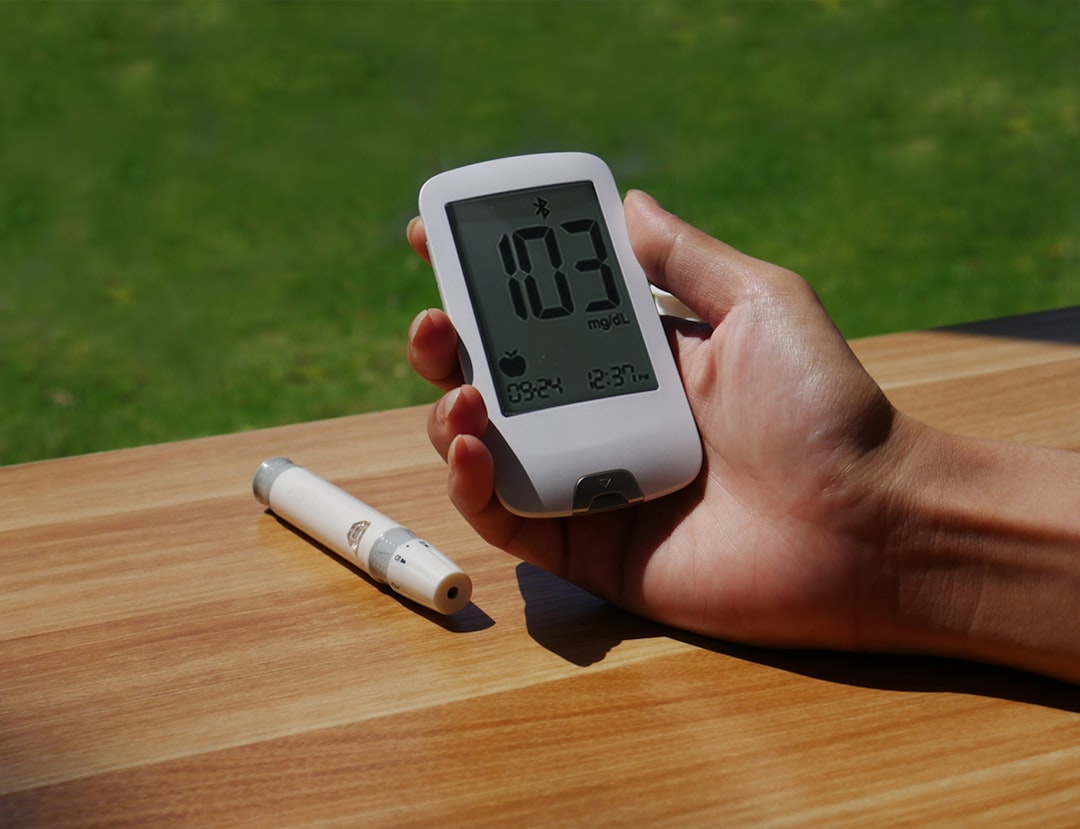
The modern user navigates a world increasingly intertwined with electronic devices, from the smartphones that serve as personal assistants to the laptops that facilitate work and creativity, and the smart home devices that automate daily life. While the allure of the latest technology often tempts users to upgrade frequently, extending the lifespan of existing gadgets is an economically and environmentally responsible approach. This article provides practical guidance, grounded in factual advice, to help individuals maximize the functional longevity of their electronic possessions.
The physical integrity of a gadget is the bedrock of its operational lifespan. Just as a sturdy foundation supports a building, protecting your device from external harm ensures it can continue to perform its intended functions. Adverse physical conditions can compromise internal components, lead to malfunctions, or render the device inoperable.
Protecting Against Drops and Impacts
The most common cause of physical damage is accidental drops. A smartphone or tablet falling from a significant height can shatter screens, dislodge internal components, or cause hairline fractures within circuit boards that may not be immediately apparent but can lead to future failure.
Utilizing Protective Cases
The selection of an appropriate protective case is a primary line of defense. Cases vary in their design and material composition, offering different levels of shock absorption.
Rigid Cases
These cases are typically made from polycarbonate or hard plastics. They offer good resistance to scratches and minor impacts but may not absorb significant shock as effectively as more flexible materials.
Flexible Cases (TPUs and Silicones)
Thermoplastic polyurethane (TPU) and silicone cases provide superior shock absorption due to their inherent flexibility. They can compress upon impact, dissipating energy and reducing the stress on the device’s internals and screen. Some cases integrate a combination of rigid outer shells and softer inner linings for enhanced protection.
Ruggedized Cases
For environments where the risk of significant impact is higher, such as during outdoor activities or in construction settings, ruggedized cases are recommended. These cases often feature reinforced corners, raised bezels to protect the screen, and denser materials designed for extreme durability.
Employing Screen Protectors
The display screen is often the most vulnerable component. A cracked or severely scratched screen can impair visibility and usability, and in some cases, prevent touch input, effectively crippling the device.
Tempered Glass Screen Protectors
Tempered glass protectors offer a hard, scratch-resistant surface that can absorb direct impact, often sacrificing itself to protect the underlying display. They provide a tactile experience similar to the original screen and are generally easy to apply.
Plastic Film Screen Protectors
These are typically thinner and less expensive than tempered glass. They offer good protection against scratches from everyday use but provide minimal impact resistance. Their primary advantage lies in maintaining the original slim profile of the device.
Safeguarding Against Environmental Hazards
Beyond direct impact, environmental factors can subtly erode a device’s lifespan. Think of these as slow-acting agents that, over time, can cause significant damage.
Managing Temperature Extremes
Electronic components are sensitive to heat and cold. Operating devices in extreme temperatures can accelerate wear and tear.
Avoiding Overheating
High temperatures can cause components, particularly batteries, to degrade faster. Lithium-ion batteries, for instance, experience accelerated capacity loss when exposed to prolonged heat. Leaving devices in direct sunlight, in a hot car, or in poorly ventilated areas can lead to overheating. Using devices for demanding tasks like gaming or video editing for extended periods can also generate significant heat.
- Mitigation Strategies: Ensure adequate ventilation, especially when charging or performing intensive operations. Avoid covering ventilation ports on laptops. If a device feels excessively hot, allow it to cool down before continued use.
Protecting Against Cold
While less commonly discussed, extreme cold can also pose risks, particularly regarding battery performance and the potential for condensation.
- Mitigation Strategies: When moving a device from a cold environment to a warm one, allow it to acclimate to room temperature before powering it on. This prevents moisture from condensing on internal components. In very cold conditions, battery life may temporarily decrease.
Preventing Moisture and Liquid Damage
Liquids are the arch-nemesis of electronics. Water ingress can cause short circuits, corrosion, and irreparable damage to intricate circuitry.
Avoiding Water Exposure
This seems self-evident, yet accidents happen. Spills, rain, submersion, or even high humidity can introduce moisture into sensitive internal components.
- Mitigation Strategies: Be cautious around water sources. Consider waterproof phone pouches for use near pools or at the beach. For devices like laptops, avoid using them in steamy bathrooms or kitchens.
Reacting Swiftly to Spills
If a liquid spill occurs, immediate action is crucial.
- Immediate Steps: Power off the device instantly. Do not attempt to turn it on or charge it. Remove any accessible battery (if applicable). Gently pat the device dry with a soft, absorbent cloth. For minor spills where the liquid has not deeply penetrated, placing the device in a container with uncooked rice or silica gel packets can help absorb residual moisture. However, this method is not foolproof and professional cleaning may be necessary.
Combating Dust and Debris
Accumulated dust can obstruct ventilation, leading to overheating, and can also interfere with connections and ports.
Regular Cleaning
Periodically cleaning the exterior and vulnerable ports of a device can prevent the buildup of dust and debris.
- Cleaning Tools: Use compressed air to blow dust out of ports and vents. A soft-bristled brush or a microfiber cloth can be used for exterior cleaning. For stubborn grime in ports, a wooden or plastic toothpick can be carefully employed to dislodge it, taking care not to damage any internal contacts.
If you’re looking to extend the lifespan of your gadgets, you might find it useful to read a related article that offers practical tips and insights. This article discusses various strategies, from proper maintenance to optimal usage habits, that can significantly enhance the longevity of your devices. For more information, check out this helpful resource: How to Increase the Lifespan of Your Gadgets.
Optimizing Battery Health
The battery is the lifeblood of most portable gadgets, dictating their untethered usability. A degraded battery not only reduces runtime but can also impact device performance and, in extreme cases, pose a safety risk. Extending battery lifespan is paramount to maximizing a gadget’s practical utility.
Understanding Lithium-Ion Battery Chemistry
Modern portable electronics predominantly utilize lithium-ion (Li-ion) batteries. These batteries operate most efficiently within a specific charge cycle and temperature range. Understanding their inherent characteristics is key to their preservation.
Charge Cycles and Depth of Discharge
Every time a battery is charged and discharged, it undergoes a charge cycle. Batteries have a finite number of these cycles before their capacity significantly diminishes.
Minimizing Full Discharges
Deep discharges, where the battery is allowed to drain to 0%, place more stress on the battery than shallower discharges.
- Ideal Charging Habits: Aim to keep the battery charge between 20% and 80% for optimal longevity. While fully charging to 100% is often tempting for maximum immediate uptime, it can contribute to battery degradation over time. Trickle charging (keeping a device plugged in long after it has reached 100%) can also generate heat and stress the battery. Many modern devices have built-in battery management software to mitigate this, but conscious user habits supplement these features.
Avoiding Constant Plugging-In
While topping up a battery frequently may seem beneficial, constant connection, especially to chargers that do not have intelligent power management, can contribute to heat buildup and stress on the battery cells.
- Smart Charging Practices: If your device supports it, utilize optimized or adaptive charging features that learn your usage patterns and delay full charging until shortly before you typically unplug it. Unplugging your device for periods during the day, rather than letting it remain plugged in overnight consistently, can also be beneficial for some devices.
Temperature’s Impact on Batteries
As mentioned previously, temperature has a direct correlation with battery health. Extreme heat is particularly detrimental to Li-ion batteries.
Avoiding Heat Stress
Prolonged exposure to high temperatures is a significant factor in battery degradation.
- Practical Applications: Do not leave your phone or laptop in direct sunlight. When charging, ensure the device is in a well-ventilated area and not covered by blankets or pillows. Consider removing the device from its case while charging if the case tends to trap heat.
Moderating Cold Exposure
While not as damaging as heat, extreme cold can temporarily reduce battery performance.
- Cold Weather Precautions: If you are in a very cold environment, keep your device in an inside pocket to maintain a more moderate temperature. Note that battery performance may be reduced in cold conditions, but it typically recovers when the device returns to a normal temperature.
Battery Health Management Features
Many modern operating systems and device manufacturers have integrated features designed to monitor and manage battery health.
Utilizing Built-in Optimizations
Operating systems like iOS and Android, and manufacturers like Apple and Samsung, offer settings to optimize battery charging and performance.
- Examples: “Optimized Battery Charging” on iOS learns your daily charging routine and reduces battery aging by waiting to finish charging past 80% until you need it. Similarly, “Adaptive Battery” on Android prioritizes power for the apps you actually use. Familiarize yourself with these settings within your device’s battery management menu.
Performing Occasional Full Cycles (With Caution)
Historically, it was recommended to perform a full charge-discharge cycle every few months. While this is less critical for modern Li-ion batteries, a single full cycle occasionally may help recalibrate the battery’s charge indicator, providing more accurate readings.
- Recommended Approach: Perform a full charge cycle only once or twice a year, and only if you notice significant inaccuracies in the battery percentage displayed. Avoid doing this regularly, as it can increase overall battery wear.
Maintaining Software and Performance

Beyond physical and battery health, software optimization is a critical pillar in maximizing a gadget’s lifespan. A smoothly running device is more enjoyable to use and less prone to the performance degradation that often pushes users towards premature upgrades.
Keeping Operating Systems and Applications Updated
Software updates are not merely about new features; they are vital for security and performance. They often include patches that address vulnerabilities and introduce optimizations that can improve efficiency.
The Importance of Security Patches
Security vulnerabilities can be exploited by malicious software, compromising your data and potentially leading to device instability.
- Mitigation: Regularly install operating system updates and application updates as soon as they become available. These updates often seal security holes, acting as digital sentinels guarding your device.
Performance Enhancements
Manufacturers frequently release updates that refine algorithms, improve power management, and streamline resource utilization.
- Benefits: These updates can lead to a snappier user experience, faster app loading times, and improved battery efficiency. A neglectful approach to updates is akin to letting your car’s engine run with old, dirty oil; eventually, performance suffers.
Managing Storage Space
A device struggling with a full storage drive is like a person trying to work in an impossibly cluttered room; efficiency plummets.
Freeing Up Space
When storage is nearly full, the operating system has less room to maneuver, leading to slower performance, app crashes, and an inability to install further updates or applications.
- Strategies:
- Delete Unnecessary Files: Regularly review and delete old photos, videos, documents, and downloaded files that are no longer needed.
- Uninstall Unused Apps: Apps, even when not actively running, consume storage space. Identify and uninstall applications you no longer use.
- Utilize Cloud Storage: Services like Google Drive, iCloud, or Dropbox can be used to offload large files and free up local storage. Ensure you have a reliable internet connection to access these files when needed.
- Clear App Cache and Data: Some apps accumulate large caches of temporary data. Clearing these can reclaim significant space. Be mindful that clearing app data will reset the app to its default state.
Using External Storage
For devices that support it, external storage solutions can be a valuable way to extend usable storage capacity.
- Options: SD cards (for compatible smartphones and cameras), external hard drives, or solid-state drives (for laptops and desktops) can serve as repositories for large files, further alleviating internal storage constraints.
Regular Device Restarts
While seemingly simple, a regular restart is a surprisingly effective way to maintain optimal performance.
Clearing RAM and Background Processes
When a device is running continuously for extended periods, random access memory (RAM) can become cluttered with residual data from closed applications and background processes.
- The Restart Cycle: A restart effectively clears the RAM, closes all non-essential background processes, and provides a fresh start for the operating system. This can resolve minor glitches, improve responsiveness, and prevent potential performance bottlenecks. Aim to restart your device at least once a week.
Addressing Software Glitches
Occasional software hiccups or temporary slowdowns can often be resolved with a simple restart. It’s a primitive yet effective form of digital housekeeping.
Performing Factory Resets (As a Last Resort)
A factory reset, while a drastic measure, can breathe new life into a sluggish or problematic device.
When to Consider a Factory Reset
If a device is experiencing persistent performance issues, frequent crashes, or strange behavior that cannot be resolved through other troubleshooting methods, a factory reset might be the solution.
- Process and Precaution: A factory reset will erase all user data, settings, and installed applications, returning the device to its original out-of-the-box state. It is crucial to back up all important data before performing a reset. This is akin to performing an invasive surgical procedure; it should only be undertaken when other treatments have failed.
Proactive Maintenance and Cleaning

Regular maintenance is the equivalent of scheduled oil changes and tune-ups for your vehicles; it prevents minor issues from escalating into major problems. Consistent, minor efforts can significantly extend a gadget’s operational life.
Physical Cleaning Rituals
Beyond preventing dust ingress, regular cleaning contributes to the overall aesthetic and hygiene of your device.
Cleaning Screens and Surfaces
A clean device is more pleasant to interact with and can prevent the buildup of grime that might obscure sensors or buttons.
- Screen Care: Use a microfiber cloth dampened with a dedicated screen cleaner or a solution of distilled water and a mild detergent (very sparingly). Avoid abrasive cloths or harsh chemicals, which can damage screen coatings.
- Body Cleaning: For the device casing, a slightly damp microfiber cloth is usually sufficient. For more stubborn marks, a cleaning solution designed for electronics can be used.
Cleaning Ports and Connections
Dust, lint, and debris can accumulate in charging ports, headphone jacks, and other connectivity points, leading to connection issues or slow charging.
- Gentle Intervention: Use compressed air to dislodge loose debris. For more persistent blockages, a dry, non-metallic object like a plastic toothpick or a fine brush can be used cautiously. Avoid metal objects, which can short-circuit components or scratch contacts.
Battery Charging Habits Revisited
While discussed in section two, it bears reiteration as a form of proactive battery maintenance.
Understanding the “Sweet Spot” for Charging
As detailed, keeping Li-ion batteries within the 20%-80% range is optimal for their long-term health.
- Habitual Adaptation: Develop a routine of topping up instead of always charging to 100%. This small behavioral shift, executed consistently, contributes significantly to battery longevity.
Avoiding Constant Full Charges Overnight
While modern charging circuitry is sophisticated, consistently leaving a device plugged in at 100% overnight can still generate minor heat and stress.
- Conscious Disconnection: Consider unplugging your phone or laptop once it reaches a comfortable charge level, even if it’s before you go to bed.
Software Housekeeping
Maintaining a clean and organized software environment is as important as physical cleaning.
Uninstalling Unnecessary Apps
As highlighted in the software section, unused apps consume storage and can sometimes run background processes that drain resources.
- Regular Audits: Periodically review your installed applications and remove those that are no longer used. This contributes to a leaner system, freeing up both storage and processing power.
Clearing Temporary Files and Cache
Operating systems and applications create temporary files and cache data to speed up operations. Over time, this cache can become bloated, impacting performance.
- System Tools: Utilize built-in system utilities to clear cache and temporary files. For mobile devices, regularly clearing browser cache and app caches can be beneficial.
If you’re looking to extend the lifespan of your gadgets, you might find it helpful to explore some practical tips and strategies. One insightful resource to consider is an article that discusses various ways to care for your devices, ensuring they remain functional for years to come. For more information, you can check out this informative piece on gadget maintenance at Hey Did You Know This. By following the advice shared in such articles, you can significantly enhance the durability and performance of your technology.
Strategic Purchasing and Usage Habits
| Method | Description | Impact on Lifespan | Estimated Improvement |
|---|---|---|---|
| Regular Cleaning | Remove dust and debris from vents, screens, and ports. | Prevents overheating and hardware damage. | Up to 20% longer device life |
| Use Protective Cases | Protects gadgets from physical damage like drops and scratches. | Reduces risk of screen cracks and body damage. | Up to 15% longer lifespan |
| Battery Care | Avoid full discharges and overcharging; use original chargers. | Maintains battery health and capacity. | Extends battery life by 30-50% |
| Software Updates | Keep device firmware and apps updated. | Improves performance and security. | Enhances usability for 1-2 years longer |
| Proper Storage | Store gadgets in cool, dry places away from direct sunlight. | Prevents damage from heat and moisture. | Increases lifespan by 10-15% |
| Avoid Overuse | Give devices breaks to prevent overheating and wear. | Reduces hardware stress and failure. | Improves longevity by 10-20% |
The lifespan of a gadget is also influenced by the initial procurement decisions and the day-to-day manner in which it is utilized. Making informed choices at the outset and adopting mindful usage patterns can preemptively extend a device’s functional life.
Choosing Durable and Repairable Devices
Not all gadgets are created equal when it comes to longevity. Some are designed with longevity and repairability in mind, while others are intended for a shorter lifecycle.
Researching Build Quality and Materials
Examining reviews and specifications can reveal which devices are constructed with more robust materials and design principles.
- Indicators of Durability: Devices with metal frames, reinforced glass, and sealed chassis generally offer greater physical resilience. Look for information regarding water and dust resistance ratings (IP ratings).
Prioritizing Repairability
The ability to repair a device easily and affordably is a significant factor in extending its lifespan.
- Repairability Scores: Organizations like iFixit provide repairability scores for various devices, rating them based on ease of disassembly, availability of parts, and cost of repairs. Devices with higher repairability scores are more likely to be salvaged when components fail, rather than being discarded. Consider the availability of spare parts and authorized service centers in your region.
Avoiding Unnecessary Upgrades for Minor Improvements
The rapid pace of technological advancement can create a perceived need for constant upgrades. However, many incremental improvements may not justify the expense or environmental impact of replacing a still-functional device.
Evaluating Actual Needs Versus Wants
Before embarking on an upgrade, critically assess whether the new device offers capabilities that are essential for your tasks or significantly enhance your experience.
- The Incremental Trap: A new smartphone might boast a slightly faster processor or a marginally improved camera. If your current device still meets your communication, browsing, and basic photography needs, the desire for a minor upgrade can be categorized as a “want” rather than a “need.” This is akin to trading in a perfectly good car for one that is a few miles per hour faster; the practical benefit is often negligible.
Considering Refurbished or Certified Pre-Owned Options
For users who desire newer technology without the premium price tag of a brand-new device, refurbished or certified pre-owned options offer a compelling alternative.
- Smart Savings: These devices have typically been inspected, repaired (if necessary), and restored to full working order by the manufacturer or a reputable third party. They often come with a warranty, offering peace of mind. This approach is both economically astute and environmentally conscious, giving a second life to a perfectly capable device.
Responsible Usage Patterns
The way a device is used on a daily basis directly impacts its wear and tear.
Gentle Handling and Storage
Treating your gadgets with care during everyday use can prevent a multitude of minor damages that accumulate over time.
- Daily Precautions: Avoid placing heavy objects on devices. When storing a device, ensure it is in a safe place where it won’t be stepped on or crushed. For laptops, use a padded sleeve or bag when transporting them.
Disconnecting Peripherals Properly
Improper disconnection of external devices like USB drives or charging cables can cause damage to ports.
- Safe Ejection: Always use the “safely remove hardware” or “eject drive” function on your operating system before physically unpluging a USB device. Similarly, avoid yanking cables; a gentle pull on the connector itself is the safest method.
By implementing these practical tips and adopting a mindful approach to gadget ownership, users can significantly extend the functional life of their electronic devices. This not only leads to personal savings but also contributes to a more sustainable technological ecosystem, reducing electronic waste and conserving valuable resources.
FAQs
How can I extend the battery life of my gadgets?
To extend battery life, avoid overcharging, keep the device at moderate temperatures, reduce screen brightness, and close unused apps. Using power-saving modes and updating software regularly also helps maintain battery health.
What are the best practices for cleaning electronic gadgets?
Use a soft, lint-free cloth slightly dampened with water or a specialized electronic cleaner. Avoid harsh chemicals and excessive moisture. Always power off the device before cleaning and avoid spraying liquids directly onto the gadget.
How important is software maintenance for gadget longevity?
Regular software updates are crucial as they fix bugs, improve performance, and enhance security. Keeping your device’s software up to date helps prevent crashes and extends the overall lifespan of the gadget.
Should I use protective cases and screen protectors?
Yes, using protective cases and screen protectors can prevent physical damage such as scratches, cracks, and dents. This protection helps maintain the gadget’s functionality and appearance over time.
How does proper storage affect the lifespan of gadgets?
Storing gadgets in a cool, dry place away from direct sunlight and extreme temperatures prevents damage to internal components. Avoid leaving devices in hot cars or damp environments to reduce the risk of hardware failure.