
HP Printer Firmware Update: Dynamic Security Enhancement
For users of HP printers, the concept of firmware updates is often a familiar one. These updates serve as the operating system for the printer, dictating its functionality, performance, and, increasingly, its security. Recently, HP has implemented a significant firmware update centered around “Dynamic Security Enhancement.” This initiative represents a proactive approach to safeguarding HP’s connected devices against an ever-evolving threat landscape. Understanding the nature of this enhancement, its implications, and how to navigate it is crucial for maintaining the optimal and secure operation of your HP printing hardware.
The modern printer is no longer a simple peripheral device that solely churns out paper. With the advent of network connectivity, cloud printing, and integrated smart features, printers have transformed into complex, connected endpoints. This connectivity, while immensely beneficial for workflow and efficiency, also opens the door to potential security vulnerabilities. Think of your printer as a gateway in your digital home. If that gateway isn’t properly secured, it can become an entry point for unwanted visitors to your network.
The Growing Threat of Cyberattacks on IoT Devices
The Internet of Things (IoT), a broad category that includes connected printers, has become a prime target for cybercriminals. These devices, due to their often-overlooked security posture, can be leveraged for various malicious activities.
Botnets and Distributed Denial-of-Service (DDoS) Attacks
Connected printers can be commandeered and enslaved into botnets. These networks of compromised devices can then be used to launch devastating DDoS attacks, overwhelming legitimate online services and causing widespread disruption. Imagine a swarm of digital locusts, co-opted to consume the bandwidth and resources of a target.
Data Theft and Unauthorized Access
Printers often handle sensitive documents. A compromised printer could potentially be a vector for intercepting or exfiltrating confidential information, from personal correspondence to business trade secrets. This is akin to leaving the keys to your filing cabinet in a public place.
Malware Propagation and Network Intrusion
Attackers can use a vulnerable printer as a stepping stone to infiltrate a larger network. Once inside, they can move laterally, seeking out more valuable targets or deploying ransomware. This is like using a small crack in the foundation to eventually bring down the entire structure.
The Need for Proactive Security Measures
Given these escalating threats, relying solely on reactive security measures is insufficient. A proactive approach, one that anticipates and mitigates potential risks before they materialize, is paramount. This is where firmware updates, and specifically HP’s Dynamic Security Enhancement, come into play. They aim to build a stronger, more resilient digital perimeter.
If you’re looking for more information on HP printer dynamic security firmware updates, you might find this article helpful: Hey Did You Know This. It provides insights into how these updates affect printer functionality and security, ensuring that your device operates smoothly and securely.
Understanding HP’s Dynamic Security Enhancement
HP’s Dynamic Security Enhancement represents a significant shift in how the company approaches printer security. It’s not merely about patching individual vulnerabilities; rather, it’s about establishing a dynamic and adaptive security framework. This means the security measures can evolve and adapt as new threats emerge, much like a living organism developing an immune response.
The Core Principles of Dynamic Security
At its heart, dynamic security is built on the premise of continuous vigilance and adaptation. It acknowledges that the threat landscape is not static, and therefore, the defenses must also be dynamic.
Adaptive Threat Response
The system is designed to identify and respond to emerging threats in near real-time. This involves monitoring for suspicious patterns of activity and deploying countermeasures automatically. It’s like having a sentry that doesn’t just stand at the gate but actively patrols the perimeter, listening for any unusual sounds.
Multi-Layered Security Architecture
Dynamic security is not a single firewall; it’s a series of interconnected defenses. This means that even if one layer is breached, others are in place to prevent further compromise. This layering provides redundancy and resilience, making it significantly harder for attackers to succeed. Think of a medieval castle with its moats, drawbridges, inner walls, and keep – each providing a different level of protection.
Continuous Improvement and Updates
The “dynamic” aspect also implies a commitment to ongoing improvement. As new attack vectors are discovered or developed, the firmware can be updated to address them, effectively closing newly identified loopholes. This is akin to constantly reinforcing the castle walls with new materials and strategies based on intelligence gathered from past skirmishes.
The “Dynamic Security” Label Explained
The term “dynamic security” itself suggests a system that is not rigid but can change and adapt. It indicates that the security protocols are not fixed but can be modified and updated to meet evolving challenges. This is a departure from static security models that can become obsolete as threats advance.
Beyond Static Patching
Unlike traditional security updates that might address specific bugs, dynamic security aims to implement broader, more fundamental security enhancements. This is about upgrading the fundamental immune system of the printer, not just treating a superficial rash.
Future-Proofing the Printing Environment
By implementing dynamic security, HP is attempting to future-proof its devices against the unknown threats of tomorrow. This proactive investment in security aims to reduce the likelihood of widespread vulnerabilities and costly breaches.
How the Firmware Update Works
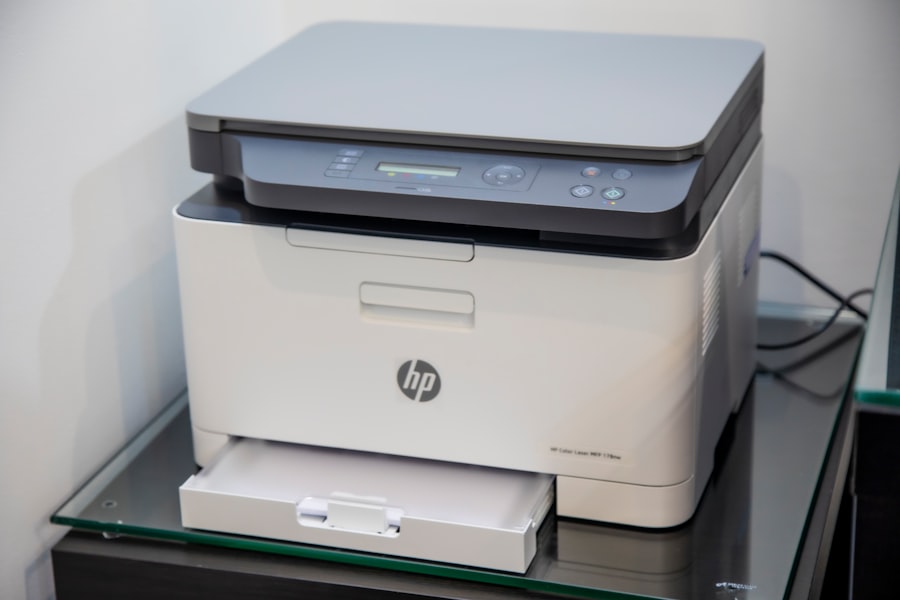
The HP Dynamic Security Enhancement is primarily delivered through firmware updates. These updates are designed to be accessible and, for the most part, automatic, aiming to simplify the process for the end-user while maximizing security impact.
The Role of Firmware in Printer Operation
Firmware is the low-level software that controls the hardware of the printer. It dictates everything from how the print heads move to how the device communicates over the network. Changes to firmware are therefore fundamental to the printer’s overall behavior and security.
Embedded Software and Hardware Interfacing
Firmware acts as the crucial intermediary between the printer’s physical components and the commands it receives. It translates digital instructions into mechanical actions and vice-versa.
Network Communication Protocols
A significant portion of printer firmware deals with network connectivity. This includes managing Wi-Fi, Ethernet connections, and the various protocols used for sending and receiving print jobs and system status information. This is the printer’s language for communicating with the outside world.
Security Modules and Protocols
Modern printer firmware includes specific modules and protocols dedicated to security, such as encryption, authentication, and access control. The dynamic security update specifically targets and enhances these components.
The Update Process: What to Expect
HP generally makes firmware updates available through a few key channels. Understanding these can help you ensure your printers are always running the latest, most secure version.
Automatic Updates
Many HP printers are configured to check for and install firmware updates automatically. This is the most convenient method for users, as it requires no manual intervention. However, it’s always a good practice to verify that this feature is enabled.
Manual Updates via HP Smart App or Web Interface
For users who prefer more control or have printers not configured for automatic updates, HP provides ways to manually initiate the update process. This often involves using the HP Smart app on a computer or mobile device, or accessing the printer’s web interface (Embedded Web Server) through a browser.
Downloading and Installing from the HP Support Website
In some instances, you may be directed to download the firmware update file directly from the HP support website for your specific printer model. This typically involves a guided installation process.
The Importance of a Stable Connection During Updates
Regardless of the method, it is crucial to ensure a stable power and network connection during the firmware update process. Interruptions can, in rare cases, lead to a corrupted firmware installation, which might render the printer inoperable until it can be resolved. This is like performing delicate surgery – any tremor can have serious consequences.
What the Dynamic Security Enhancement Specifically Addresses
The “Dynamic Security Enhancement” is not a single, monolithic change but rather a suite of improvements designed to bolster the printer’s defenses in multiple areas.
Strengthening Network Perimeters
One of the primary focuses of this enhancement is fortifying the printer’s presence on the network. This involves making it a tougher nut to crack for potential intruders.
Enhanced Firewall and Intrusion Detection Capabilities
The update likely introduces more sophisticated firewall rules and improved intrusion detection systems within the printer’s firmware. This means the printer can better identify and block malicious network traffic. It’s as if the sentry is now equipped with advanced radar and listening devices.
Secure Network Protocols and Authentication
The enhancement may also involve strengthening the encryption and authentication protocols used when the printer communicates over the network. This ensures that only authorized devices and users can interact with the printer. This is like adding stronger locks and requiring verified identification for entry.
Protection Against Network-Based Exploits
New security measures are likely implemented to counter known and emerging network-based exploits that could target printers, preventing them from being used as entry points into wider networks.
Fortifying Firmware Integrity
Beyond network security, the update also focuses on protecting the integrity of the firmware itself, ensuring that it hasn’t been tampered with.
Secure Boot Processes
The firmware may incorporate secure boot mechanisms. This means that the printer verifies the authenticity and integrity of its firmware during startup, ensuring that only legitimate HP code is loaded. This is akin to a soldier checking their military ID before being allowed onto a secure base.
Tamper Detection and Prevention
Mechanisms for detecting and potentially preventing unauthorized modifications to the firmware are likely part of the enhancement. If someone tries to alter the printer’s fundamental programming, the system should be able to detect it.
Cryptographic Verification of Firmware Components
The update may employ cryptographic signatures to verify the authenticity of individual firmware components, ensuring that they have not been compromised or replaced with malicious code.
Improving Data Handling and Privacy
While printers are not typically primary storage devices for sensitive data, they can process and temporarily hold information. The enhancement may address security aspects related to this.
Secure Data Transmission for Jobs
Ensuring that print jobs are transmitted securely between the computer and the printer, especially over untrusted networks, is a key consideration.
Mitigation of Potential Side-Channel Attacks
In more advanced scenarios, firmware updates can help mitigate against side-channel attacks, where information might be gleaned from physical characteristics of the device’s operation.
HP has recently implemented a dynamic security firmware update for its printers, which has raised concerns among users regarding the implications for third-party cartridges. For those looking to understand the broader context of this update, a related article discusses the impact of such security measures on printer functionality and user experience. You can read more about it in this insightful piece here. This update aims to enhance security but may inadvertently limit options for consumers who rely on alternative ink supplies.
Implication for Users and Best Practices
| Metric | Description | Value / Status | Notes |
|---|---|---|---|
| Firmware Version | Current version of the dynamic security firmware | 2024.05.01 | Latest update released in May 2024 |
| Update Frequency | How often HP releases dynamic security firmware updates | Quarterly | Updates typically released every 3 months |
| Supported Printer Models | Number of HP printer models affected by dynamic security updates | 25+ | Includes LaserJet and OfficeJet series |
| Security Vulnerabilities Addressed | Number of security issues fixed in the latest update | 3 | Includes patch for cartridge authentication bypass |
| Update Size | Size of the firmware update file | 15 MB | Download size for typical update |
| Installation Time | Average time to install the firmware update | 5 minutes | Varies by printer model and connection speed |
| Impact on Third-Party Cartridges | Effect of dynamic security update on non-HP cartridges | Disabled | Non-HP cartridges may be blocked after update |
| User Feedback Rating | Average user satisfaction score post-update (scale 1-5) | 2.8 | Concerns about cartridge compatibility noted |
For the end-user, this dynamic security enhancement offers a more secure computing environment. However, it also necessitates an understanding of how to manage these updates and maintain best practices.
The Benefits of a Dynamically Secured Printer
A dynamically secured printer offers a significant peace of mind. It means your device is better equipped to protect itself and your network from a range of cyber threats.
Reduced Risk of Compromise and Data Breach
The primary benefit is a substantially reduced risk of your printer being compromised, which in turn helps prevent potential data breaches and unauthorized access to your network.
Enhanced Network Security
By securing the printer, you are effectively strengthening the overall security posture of your entire network. It removes a potential weak link in your digital chain.
Continued Device Functionality and Longevity
Regular security updates, especially those that are dynamic, can help ensure your printer continues to function correctly and remains supported by HP for a longer period. Security vulnerabilities can sometimes lead to devices being rendered obsolete or unsupported if not addressed.
Recommended User Actions and Considerations
While HP aims to make the update process seamless, user awareness and proactive steps are still vital.
Enable Automatic Updates Whenever Possible
As mentioned earlier, enabling automatic firmware updates is the most straightforward way to ensure your printer is always protected. This bypasses the need for manual intervention and ensures timely application of security patches.
Regularly Check for Updates Manually
Even if automatic updates are enabled, it’s a good habit to periodically check for manual updates through the HP Smart app or the printer’s web interface. This provides an extra layer of assurance.
Keep Printer Drivers and Software Updated
Firmware is just one piece of the puzzle. Ensuring that your printer drivers and associated software (like the HP Smart app) are also up-to-date is crucial for overall system security and functionality. These components often work in tandem with the firmware.
Be Wary of Unauthorized Firmware Sources
Never download firmware updates from unofficial or unknown sources. Always obtain them directly from HP’s official support website or through the provided HP software. Unofficial firmware can be a vector for malware.
Understand Printer Security Settings
Take the time to explore the security settings available within your printer’s control panel or web interface. Familiarize yourself with options related to network access, user authentication, and privacy.
Report Suspicious Activity
If you observe any unusual behavior with your HP printer, such as unexpected reboots, strange printing patterns, or unsolicited network activity, report it to HP Support. This feedback can be invaluable in identifying and addressing potential security issues.
In conclusion, HP’s Dynamic Security Enhancement represents a forward-thinking approach to printer security in an increasingly interconnected world. By embracing these updates and following recommended best practices, users can ensure their HP printers remain not just functional tools, but secure and resilient components of their digital infrastructure. The digital frontier is constantly shifting, and staying ahead of the curve with robust security measures is paramount.
FAQs
What is the HP printer dynamic security firmware update?
The HP printer dynamic security firmware update is a software update released by HP to enhance the security features of their printers. It helps prevent the use of non-HP or counterfeit cartridges by enabling dynamic security measures within the printer’s firmware.
Why does HP release dynamic security firmware updates?
HP releases dynamic security firmware updates to protect their printers and customers from counterfeit or unauthorized ink and toner cartridges. These updates ensure that only genuine HP cartridges are recognized and used, which helps maintain print quality and printer reliability.
How can I check if my HP printer requires the dynamic security firmware update?
You can check if your HP printer requires the dynamic security firmware update by visiting the HP support website and entering your printer model. HP also provides notifications through the HP Smart app or printer control panel if a firmware update is available.
Will the dynamic security firmware update affect my printer’s performance?
The dynamic security firmware update is designed to improve printer security without negatively impacting performance. However, if you use non-HP cartridges, the update may prevent the printer from recognizing them, which could affect printing functionality.
Can I opt out of the HP dynamic security firmware update?
While you can choose not to install the update, HP recommends keeping your printer firmware up to date for security and performance reasons. Some HP printers may automatically install critical updates, including dynamic security features, to protect the device.