When your iPhone displays the cryptic “Unknown Part” message, it can feel like a digital roadblock, leaving you scrambling to understand what’s malfunctioning. This message typically appears when the iPhone’s internal systems detect a component that either isn’t recognized or is not functioning as expected. It’s a broad notification, acting as a general alert rather than a precise diagnosis. Understanding the potential causes and troubleshooting steps is crucial to getting your device back to full operational capacity.
The “Unknown Part” message is an internal diagnostic indicator employed by Apple’s iOS. It signifies that your iPhone’s logic board has registered a piece of hardware that doesn’t align with its expected configuration. This could range from a genuine Apple component that has been replaced improperly, to a non-genuine part, or even an original component that has begun to fail. Think of your iPhone as a complex orchestra; each instrument, each musician, needs to be in tune and playing its designated part. When a musician plays a wrong note, or an instrument is out of tune, the conductor (in this case, the iPhone’s operating system) recognizes the dissonance and signals a problem.
The Role of Authenticity and Repair History
Apple designs its devices with a tightly integrated ecosystem of hardware and software. For optimal performance and security, the company prefers that all components within an iPhone are genuine Apple parts, installed by authorized technicians. The “Unknown Part” message is a mechanism to flag when this ideal state isn’t met.
Why Genuine Parts Matter
Genuine Apple parts are manufactured to precise specifications and undergo rigorous quality control. They are designed to work seamlessly with other components and the iOS software. When a non-genuine part is introduced, it may not meet these exact standards, leading to unpredictable behavior or recognition issues.
The Impact of Third-Party Repairs
If your iPhone has been serviced by a third-party repair shop, especially if they used non-genuine parts, this message is more likely to surface. While many reputable independent repair shops can do excellent work, the risk of encountering a non-genuine component or an improperly installed genuine part increases when not using Apple’s authorized repair channels.
Software vs. Hardware Indicators
It’s important to distinguish whether the alert is purely a software notification or an indication of a deeper hardware problem. Often, the “Unknown Part” message is a software interpretation of a hardware anomaly. The software is doing its job by reporting what it detects.
Software Checks and Updates
Sometimes, a minor software glitch can lead to false positives. Ensuring your iOS is up to date is a primary step. Software updates often include bug fixes and improvements that can resolve unexpected recognition issues.
Hardware Dependencies
However, the core of the “Unknown Part” message usually points to a tangible hardware issue. The software is simply the messenger relaying the information from the hardware.
If you’re experiencing the “Unknown Part” message on your iPhone, you might find helpful solutions in a related article that discusses various fixes and troubleshooting tips. For more detailed information, you can check out this link: Hey Did You Know This. This resource provides insights into potential causes of the issue and step-by-step guidance on how to resolve it effectively.
Common Scenarios Triggering the Message
Several specific hardware failures and repair events are known to precipitate the “Unknown Part” alert. Identifying which scenario applies to your situation can help narrow down the potential fixes.
Battery Replacement Issues
One of the most frequent triggers for the “Unknown Part” message, particularly in newer iPhone models, is related to battery replacements. Apple has implemented measures to ensure that the battery paired with the iPhone is genuine and its health can be accurately monitored.
Non-Genuine Batteries
If a non-genuine battery is installed, or a genuine battery from another iPhone (even one of the same model) is used without proper pairing, the iPhone’s system may flag it as an “Unknown Part.” This is because the battery contains a small microcontroller that communicates with the iPhone’s logic board, reporting its serial number and health status. If this communication fails or the serial number is unrecognized, the alert appears.
Improperly Paired Genuine Batteries
Even when a genuine Apple battery is used, if it wasn’t properly paired with the specific iPhone it’s now in, the system might still issue the warning. This “pairing” process, usually done by authorized technicians during a replacement, ensures the battery’s unique identifiers are registered with the iPhone’s logic board.
Screen Replacement Complications
Similarly, screen replacements can also lead to this alert, especially if non-Apple certified screens are used or if the original screen’s unique identifiers are not transferred correctly.
Non-Genuine or Refurbished Screens
Third-party screen replacements, while often more affordable, carry a higher risk of triggering the “Unknown Part” message. These screens may lack the necessary components or authentication chips that Apple’s iPhones expect.
Data Transfer During Repair
Modern iPhone screens have integrated chips that store unique information about the display. During a repair, this information needs to be transferred to the new screen to ensure full functionality and compatibility. If this data transfer is incomplete or performed incorrectly, the iPhone may not recognize the new screen.
Camera Module Anomalies
Issues with the iPhone’s camera modules, especially after repairs or if a component fails, can also trigger the “Unknown Part” message.
Replacement Camera Modules
If the rear or front-facing camera has been replaced with a non-genuine part, the iPhone’s system may not recognize it, leading to the alert. This is particularly true for advanced camera systems with multiple lenses and sophisticated sensors.
Sensor or Flex Cable Damage
Even if the main camera module is genuine, damage to its flex cable or associated sensors during a repair or due to an accidental impact can also cause recognition problems. The iPhone needs to establish a clear communication channel with all its internal components.
Other Component Failures
While less common, other internal components can also be identified as “Unknown Parts.” This can include sensors, Wi-Fi/Bluetooth modules, or even certain logic board circuitry.
Logic Board Issues
In rare cases, the “Unknown Part” message could indicate a problem directly with the iPhone’s logic board itself, where the critical decision-making and communication processes occur.
Water Damage or Physical Trauma
Internal damage from water exposure or significant physical impact can disrupt the connections and functionality of various components, potentially leading to this alert.
Troubleshooting Steps: Initial Diagnosis
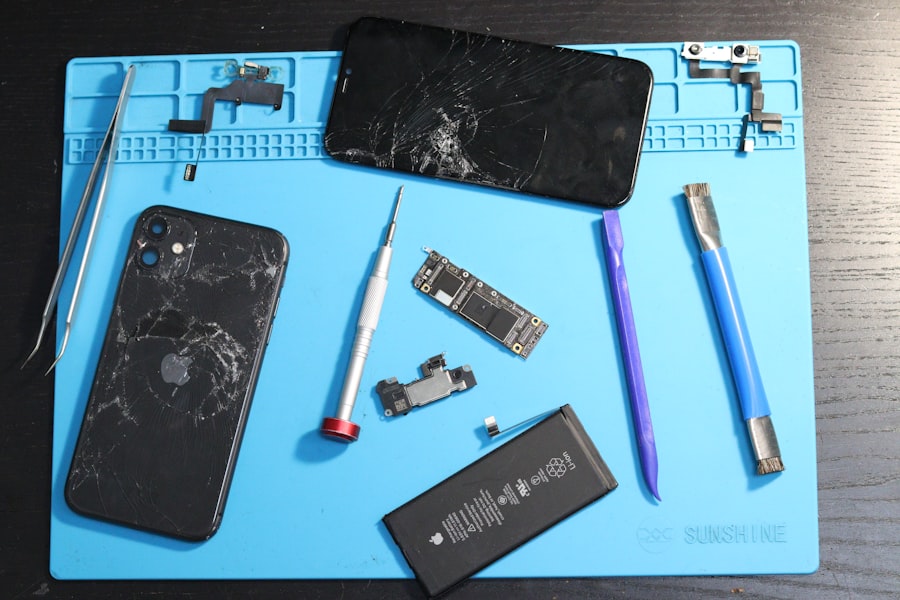
Before resorting to more complex solutions, you should undertake a series of straightforward troubleshooting steps. These are akin to a preliminary medical examination, establishing a baseline and ruling out simple issues.
Restart Your iPhone
The simplest solution is often the most effective. A force restart can clear temporary software glitches that might be causing the erroneous alert.
Method for Force Restarting
The method for force restarting varies slightly depending on your iPhone model.
- iPhone 8 or later: Press and quickly release the Volume Up button. Press and quickly release the Volume Down button. Press and hold the Side button until you see the Apple logo.
- iPhone 7 or iPhone 7 Plus: Press and hold both the Side and Volume Down buttons until you see the Apple logo.
- iPhone 6s or earlier: Press and hold both the Home and Top (or Side) buttons until you see the Apple logo.
Why a Restart Helps
A restart refreshes the operating system and its connections to hardware. It’s like rebooting a confused assistant; they might have been momentarily overwhelmed, and a fresh start helps them re-evaluate their surroundings.
Check for Software Updates
As mentioned earlier, outdated software can sometimes cause unexpected behavior.
Downloading and Installing Updates
- Ensure your iPhone is connected to Wi-Fi and has sufficient battery charge.
- Go to Settings > General > Software Update.
- If an update is available, tap Download and Install.
- Follow the on-screen prompts.
The Role of iOS in Hardware Recognition
iOS is the conductor of your iPhone’s orchestra. Updates often contain new sheet music, new interpretations of existing pieces, and corrections to ensure all instruments are playing in harmony.
Review Your iPhone’s Repair History
If you’ve had your iPhone serviced recently, especially by a non-authorized provider, this is a critical piece of the puzzle.
Documenting Previous Repairs
Keep records of any repairs made, including the service provider, the date, and the parts used if known. This documentation is invaluable when discussing the issue with Apple or a repair professional.
Identifying Potential Non-Genuine Parts
This step helps you pinpoint whether a non-genuine part was likely introduced during a past repair.
Advanced Troubleshooting and Solutions
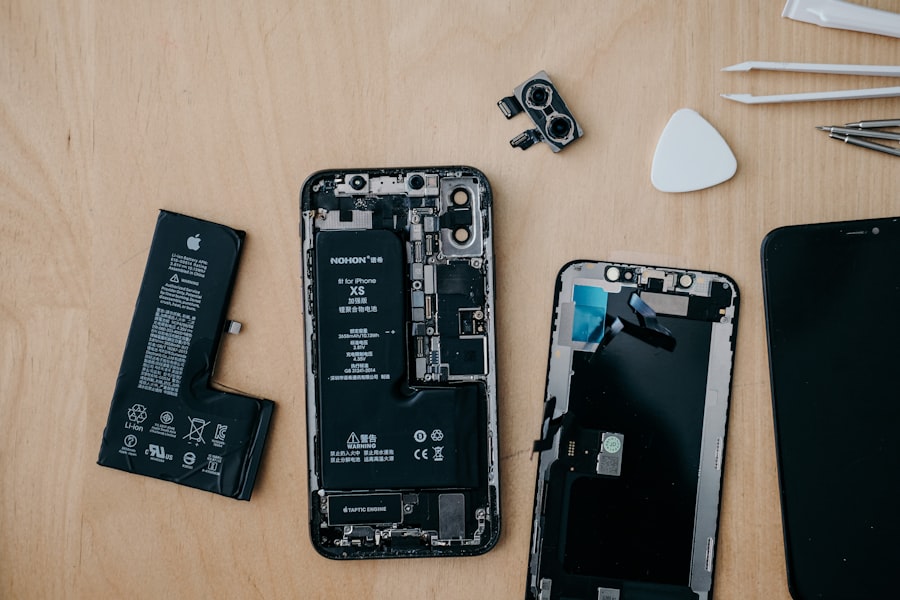
If the initial steps don’t resolve the “Unknown Part” message, a more in-depth approach is required. These solutions often involve direct interaction with the hardware or seeking professional assistance.
Identify the Specific “Unknown Part”
The “Unknown Part” message, while generic, often provides a clue as to which component is the culprit.
Common Display Indicators
Upon receiving the alert, navigate to Settings > General > About. You will often find an ““Part History”” or ““Serial Number”” section where the specific unrecognized component (e.g., “Display,” “Battery”) is listed under “Unknown Part.” This is like the orchestra conductor pointing to a specific section of the orchestra and indicating the faulty instrument.
Interpreting the Information
Once you know which part is flagged, you can focus your troubleshooting efforts. For example, if it’s the battery, you’ll investigate battery-related solutions. If it’s the display, you’ll focus on screen issues.
Battery Health and Replacement Procedures
Given its prevalence, addressing battery-related “Unknown Part” messages deserves detailed attention.
Battery Health Section
- Go to Settings > Battery > Battery Health.
- If “Maximum Capacity” is significantly reduced or you see an alert related to battery service, it indicates an issue.
- If the “Unknown Part” message pertains to the battery, and you recently had it replaced by a non-authorized repairer, this is almost certainly the cause.
Apple Authorized Battery Replacement
The most reliable solution for an “Unknown Part” message related to the battery is to have it replaced by Apple or an Apple Authorized Service Provider. They use genuine Apple parts and perform the necessary pairing procedures.
Risks of DIY Battery Replacement
While DIY battery replacement kits are available, they come with significant risks. Without the proper tools, knowledge, and ability to perform the serial number pairing, you are highly likely to encounter the “Unknown Part” message.
Screen Issues and Calibration
Screen-related “Unknown Part” messages require careful consideration of the repair quality.
Ensuring Proper Screen Calibration
When a new screen is installed by an Apple Authorized Service Provider, it undergoes a calibration process to ensure it communicates correctly with the iPhone’s logic board. Aftermarket screens may not have this capability or may not have had it performed correctly if by a non-authorized technician.
Seeking Professional Screen Repair
If the “Unknown Part” message is about the display, and you’ve had it replaced by a third party, the most effective resolution is to have it replaced again by an Apple Authorized Service Provider. They can often use a genuine Apple display and ensure it’s properly calibrated.
Dealing with Non-Genuine Accessories
In rare instances, non-genuine accessories, such as certain charging cables or adapters, can cause temporary recognition issues, though this is less common for the “Unknown Part” message and more for charging or connectivity problems.
Using Certified Accessories
Always opt for MFi (Made for iPhone) certified accessories. These have been tested by Apple and are designed to work safely with your device.
When to Contact Apple Support or an Authorized Repairer
If you’ve exhausted all troubleshooting steps and the “Unknown Part” message persists, it’s time to seek professional help.
Diagnostic Tools
Apple Authorized Service Providers have specialized diagnostic tools that can further pinpoint the hardware issue. They can also access Apple’s proprietary repair guides and software for accurate component replacement and pairing.
Warranty Considerations
If your iPhone is still under warranty, contacting Apple Support directly is the first step. They will assess the situation and guide you through the appropriate repair process, which may involve shipping your device in for service.
Out-of-Warranty Repairs
If your iPhone is out of warranty, you will likely incur repair costs. However, using an authorized provider minimizes the risk of further issues. They offer a warranty on their parts and labor, providing a safety net for your investment.
If you’re experiencing the frustrating “iPhone Unknown Part” message, you might find it helpful to explore a related article that offers a comprehensive guide on troubleshooting this issue. Many users have successfully resolved this problem by following the steps outlined in the article. For more detailed information, you can check out the guide here: troubleshooting guide. This resource provides insights that could help you get your device back to normal functioning in no time.
Long-Term Implications and Prevention
| Fix Method | Description | Success Rate (%) | Estimated Time | Required Tools |
|---|---|---|---|---|
| Restart iPhone | Simple reboot to refresh system and hardware recognition | 30 | 5 minutes | None |
| Update iOS | Install latest iOS version to fix software bugs causing the message | 50 | 15-30 minutes | Wi-Fi connection |
| Reset Settings | Reset all settings to default without deleting data | 40 | 10 minutes | None |
| Check and Reconnect Parts | Open device and ensure all internal parts are properly connected | 70 | 30-60 minutes | Specialized tools, screwdriver |
| Replace Unknown Part | Identify and replace the faulty or non-genuine part causing the message | 90 | 30-90 minutes | Replacement parts, repair tools |
| Contact Apple Support | Seek professional diagnosis and repair from Apple | 95 | Varies | Appointment or mail-in service |
Understanding the long-term implications of the “Unknown Part” message and taking steps to prevent it can save you time, money, and frustration.
Impact on Future Repairs and Resale Value
Having an “Unknown Part” message logged on your device can affect its resale value. Buyers may be wary of purchasing a device with a known hardware discrepancy. Furthermore, if you need future repairs, the presence of non-genuine parts might complicate the process and potentially void any remaining warranty.
The Value of Apple’s Ecosystem
This message reinforces the value of Apple’s tightly controlled ecosystem. While third-party repairs can sometimes be cheaper upfront, the potential for these kinds of alerts, and the associated risks, often outweigh the initial savings. It’s like choosing a shortcut that leads to a muddy, overgrown path instead of the well-maintained main road.
Proactive Maintenance and Care
Regularly backing up your iPhone and keeping your software updated are crucial for both data safety and system stability.
Regular Backups
Ensure you have a recent backup of your data to iCloud or your computer. This provides peace of mind in case of any hardware failure requiring a device reset or replacement.
Software Maintenance
Consistent software updates keep your iPhone running smoothly and can prevent many minor glitches before they become major problems.
Choosing Authorized Service Providers
The most effective way to prevent “Unknown Part” messages is to always choose Apple or an Apple Authorized Service Provider for any repairs.
Trustworthy Technicians
These providers employ certified technicians who are trained on Apple’s specific procedures and use only genuine Apple parts. This ensures that your iPhone is repaired to Apple’s exacting standards.
The Cost of Peace of Mind
While authorized repairs might be more expensive than some independent options, the assurance of quality, genuine parts, and continued system compatibility is often worth the investment. It’s the difference between a meticulously crafted piece of jewelry and a cheaply made imitation; one will shine for years, the other will tarnish quickly.
Conclusion
The “Unknown Part” message on your iPhone is a clear indication that something in its hardware configuration isn’t meeting Apple’s strict recognition protocols. Whether it’s a battery, display, or another component, the message is a digital warning sign. By understanding the common causes, diligently performing initial troubleshooting, and knowing when to seek professional assistance from authorized sources, you can navigate this issue effectively. Prioritizing genuine parts and certified repairs is the most reliable strategy for maintaining your iPhone’s integrity, performance, and long-term usability. Your iPhone is a sophisticated piece of technology; treating it with the care and professional attention it deserves ensures it continues to function as the reliable tool you depend on.
FAQs
What does the “iPhone Unknown Part” message mean?
The “iPhone Unknown Part” message typically appears when your iPhone detects a component that is not recognized or is not an official Apple part. This often happens after repairs or replacements of parts like the screen, battery, or camera.
Why does my iPhone show an unknown part warning after a repair?
This warning can appear if the replacement part is not genuine, if it is not properly installed, or if the iPhone’s software cannot verify the part’s authenticity. Apple uses proprietary chips and software to authenticate components.
Can I fix the “Unknown Part” message on my iPhone myself?
Fixing this message usually requires professional service. You can try restarting your iPhone or updating iOS, but if the message persists, the part may need to be replaced with a genuine Apple component or properly installed by a certified technician.
Does the “Unknown Part” message affect iPhone functionality?
In most cases, the iPhone will continue to function normally, but some features related to the replaced part may be limited or disabled. For example, a non-genuine screen might affect True Tone or Touch ID functionality.
How can I prevent the “Unknown Part” message when repairing my iPhone?
To avoid this message, always use genuine Apple parts and have repairs performed by Apple Authorized Service Providers or certified technicians. Avoid third-party repair shops that use non-certified components.