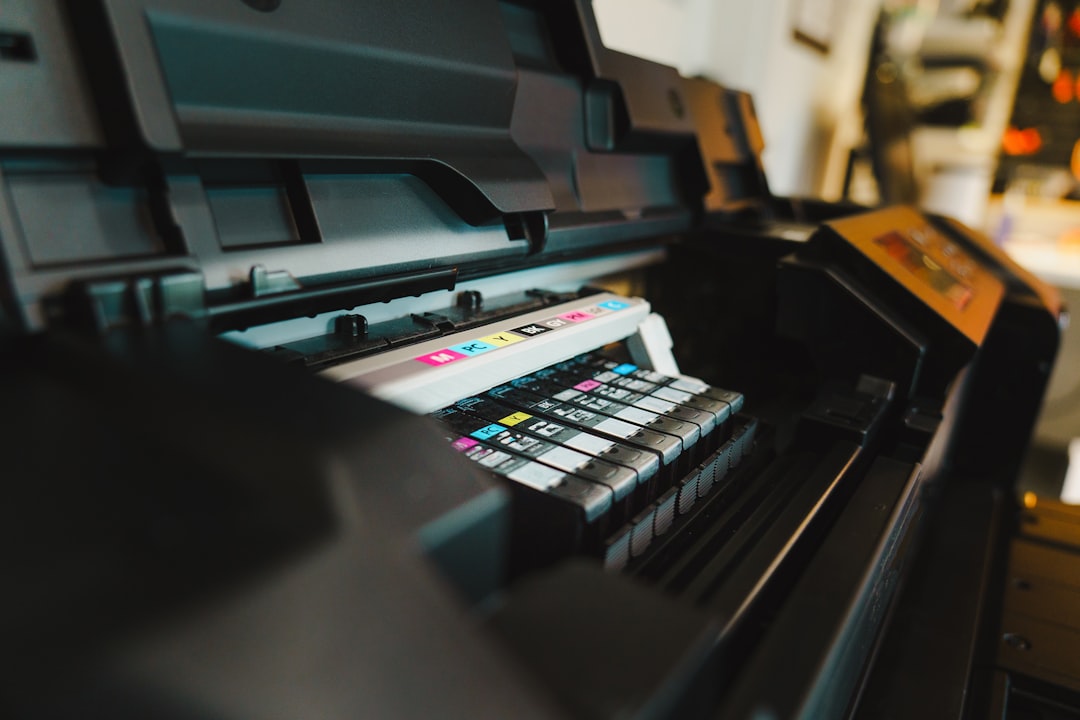
You’ve likely experienced it: the flashing lights, the cryptic error message, or perhaps even a complete shutdown of your printer after you’ve bravely ventured into the world of third-party ink. You thought you were being resourceful, a savvy shopper snagging a bargain. Instead, you find yourself staring at a lifeless machine, wondering why your printer has turned into a stubborn mule, refusing to budge. This isn’t random malice; it’s a calculated, almost Darwinian struggle playing out within the tiny, intricate ecosystem of your printing device. The printer, in its own way, is fighting for survival, and that survival depends on a well-defined relationship with its ink.
This article will delve into the multifaceted reasons why printers often reject third-party ink, transforming a simple ink cartridge replacement into a source of frustration. We’ll explore the technical, economic, and even ethical considerations that contribute to this phenomenon. Think of your printer as a highly specialized chef, and the ink as its premium ingredients. While generic ingredients might look similar, they can drastically alter the final dish, and in the case of a printer, the ‘dish’ is your printed page, and the ‘chef’ is a complex piece of machinery.
At its core, your printer is a sophisticated instrument designed for precision. It’s not just a box that squirts ink; it’s a miniature factory capable of manipulating microscopic droplets of liquid with incredible accuracy. This precision is not an accident; it’s the result of extensive research, development, and rigorous testing. The entire system is engineered to function as a harmonious unit, a carefully orchestrated ballet where every element plays a crucial role.
The Chemistry of Color and Quality
The ink itself is far more than just a liquid with a color. It’s a complex chemical cocktail, formulated with a specific viscosity, surface tension, and particle size. These properties are critical for how the ink flows through the print head, how it adheres to the paper, and how it dries.
Viscosity: The Flow of Ink
Imagine trying to paint with honey versus water. The difference in flow is immense. Printer ink requires a very specific viscosity. If the ink is too thick, it can clog the print heads, much like a traffic jam on a highway, preventing any ink from reaching the paper. If it’s too thin, it can bleed, resulting in blurry images and text, as if your carefully crafted words have melted into a puddle. Original manufacturer inks are precisely calibrated to meet these exact viscosity requirements, ensuring a smooth, consistent flow.
Surface Tension: The Droplet’s Discipline
Surface tension dictates how a liquid behaves at its surface. In a printer, it influences the shape and size of the ink droplets. Original inks are formulated to create consistent, well-defined droplets. This is vital for achieving sharp lines and vibrant colors. Third-party inks, lacking the same level of precise formulation, can exhibit inconsistent surface tension. This can lead to “splatter” or uneven droplet formation, degrading the overall print quality. It’s akin to trying to sculpt with clay that’s too wet – the details blur and the form loses its integrity.
Particle Size: The Unseen Architects
For pigment-based inks, the size of the pigment particles is paramount. These tiny particles are responsible for the color and durability of the print. Original inks feature uniformly sized particles, allowing them to flow freely through the print head nozzles and bind effectively to paper fibers. Third-party inks may have inconsistently sized particles, or simply particles that are too large. Larger particles can act like grit in a finely tuned machine, obstructing the microscopic nozzles and causing print failures.
The Print Head: The Heart of the Operation
The print head is arguably the most critical component, the engine that drives the printing process. It’s a marvel of micro-engineering, housing hundreds, sometimes thousands, of tiny nozzles that fire ink droplets onto the page.
Nozzle Design and Calibration
Each nozzle is incredibly small, often smaller than the diameter of a human hair. These nozzles are designed and calibrated to work with the specific properties of the original ink. The print head’s internal channels and mechanisms are engineered for optimal ink delivery based on these precise formulations. Third-party inks, with their potentially different chemical compositions and particle sizes, can disrupt this delicate balance.
Clogging and Damage
A common consequence of using incompatible ink is nozzle clogging. If the ink is too viscous, contains hard particles, or dries too quickly within the nozzle, it can create a hardened blockage. This is like a tiny artery becoming blocked, preventing blood flow. In a printer, it means ink cannot be expelled, leading to blank lines, streaks, or a complete failure to print. In severe cases, repeated use of incompatible ink can cause permanent damage to the print head, a component that is often prohibitively expensive to replace.
The Chip: The Gatekeeper of Compatibility
Modern printers are not just mechanical devices; they are intelligent systems governed by firmware and sophisticated electronics. A key component in this electronic ecosystem is the chip embedded in the ink cartridge. This chip is far more than just a marker; it’s a sophisticated communication device.
Ink Level Monitoring and Authentication
The chip acts as an authenticator, communicating with the printer to verify that the installed cartridge is a genuine product. It also provides crucial information about ink levels, estimated print pages remaining, and cartridge status. When a third-party cartridge is inserted, the printer’s firmware checks for this authentication. If the chip is unrecognized, non-existent, or signals an ‘invalid’ status, the printer will often refuse to operate, displaying an error message. It’s akin to a security system that won’t allow access if it doesn’t recognize the ID badge.
Firmware Restrictions and Updates
Printer manufacturers often link cartridge functionality to their firmware – the embedded software that controls the printer’s operations. Firmware updates can be released that specifically target and disable the functionality of recognized third-party cartridges, even if they worked previously. This is a constant cat-and-mouse game. Manufacturers argue these updates are for performance and security, while critics see them as a deliberate strategy to lock consumers into purchasing expensive original cartridges.
Many users often encounter issues when using third-party ink cartridges in their printers, leading to frustration and wasted resources. A related article that delves into this topic is available at this link. It explores the reasons why printers may stop functioning correctly with non-original ink, including compatibility problems, potential damage to the printer, and the manufacturer’s efforts to protect their products. Understanding these factors can help users make informed decisions about their printing needs.
The Economic Equation: Manufacturer Strategies and Your Wallet
The reasons behind printer manufacturers’ stringent stance on ink compatibility are not solely rooted in technical purity. There’s a significant economic incentive at play, and understanding this can shed light on why you’re facing these printing dilemmas. The printer itself is often sold below its manufacturing cost, a strategy known as “razor and blades.”
The “Razor and Blades” Business Model
You’ve likely encountered this model elsewhere. The initial purchase – the “razor” – is relatively inexpensive. The real profit comes from the ongoing purchase of proprietary consumables – the “blades.” In the printing world, the printer is the razor, and the ink cartridges are the blades.
Low Printer Margins, High Ink Profits
Printer manufacturers often subsidize the cost of the printer to make it an attractive and accessible purchase. This strategy aims to bring more users into their ecosystem. Once you own their printer, you become a recurring customer for their high-margin ink and toner cartridges. The profit generated from ink sales dwarfs the profit made on the printer itself.
Enforcing Original Ink Purchases
By creating a system that heavily favors or outright mandates the use of their own ink cartridges, manufacturers ensure a steady stream of revenue. This is why printers are designed with sophisticated chip technology and firmware that actively discourages or prevents the use of third-party alternatives. It’s a business strategy to safeguard their primary revenue stream.
The Cost of “Saving Money”
While third-party ink cartridges often appear significantly cheaper upfront, the long-term costs can be higher if they lead to print quality issues, premature printer failure, or require you to purchase replacement original cartridges anyway.
Hidden Costs of Incompatibility
The perceived savings can quickly evaporate when you factor in:
- Print Quality Degradation: If prints are consistently poor, you might end up reprinting pages, wasting more ink and paper.
- Printer Malfunctions: A damaged print head is an expensive repair, often costing more than a new printer. If an incompatible ink causes irreversible damage, your perceived savings on the cartridge become a false economy.
- Time Wasted: Troubleshooting printing errors, researching solutions, and dealing with failed prints consumes valuable time.
- The “Return” of Original Ink: If the third-party ink simply doesn’t work, you’re often forced to buy an original cartridge at full price to get your printer functioning again, negating any initial savings.
The Unforeseen Expense of Longevity
When you invest in a printer, you typically expect it to last for a reasonable period. The use of incompatible ink can significantly shorten its lifespan, forcing you to replace the entire machine prematurely. This is an indirect but significant cost that the “razor and blades” model aims to avoid for the manufacturer, by keeping you tied to their supply chain.
The Technical Hurdles: Beyond the Chip

While the chip and firmware represent a visible barrier, several other technical hurdles can cause third-party inks to fail. These are often less obvious to the end-user but are critical to the printer’s operation.
Ink Delivery Systems: The Network of Tubes
Printers utilize complex ink delivery systems that transport ink from the cartridge to the print head. These systems involve tubes, dampers, and seals, all designed to work with specific ink properties.
Pressure and Flow Dynamics
The internal pressure within the ink delivery system is carefully controlled. The viscosity and surface tension of original inks are factored into this pressure regulation. Third-party inks can disrupt these delicate pressure dynamics, leading to ink starvation or excessive flow. Imagine a water pipe system designed for a specific water pressure; introducing a fluid with different properties could lead to leaks or insufficient flow.
Material Compatibility
The materials used in the ink delivery system (tubes, seals, etc.) are chosen for their compatibility with original ink formulations. Some chemical components in third-party inks might react with these materials, causing degradation, leaks, or contamination. This is like using a solvent that dissolves the very container it’s supposed to be stored in.
Maintenance Cycles and Cleaning Solutions
Printers have built-in maintenance routines, such as print head cleaning cycles, to keep the nozzles clear and ensure optimal print quality. These cycles are designed to flush the print heads with specific cleaning solutions that are compatible with the original ink.
Incompatibility with Cleaning Fluids
If a third-party ink has a different chemical composition, the manufacturer’s cleaning fluids might not be effective at dissolving or flushing it out. This can lead to a buildup of residue in the print head, exacerbating clogging issues. It’s like trying to clean a grease stain with water – it’s simply not the right tool for the job.
Ink Drying and Coagulation
Some third-party inks, especially those that are cheaper, might use different drying agents or have a tendency to coagulate (thicken and clump) more readily when exposed to air or during idle periods. This is a recipe for disaster within the fine nozzles of a print head.
The “Why Not Both?” Delusion: Why Mixing Isn’t Recommended
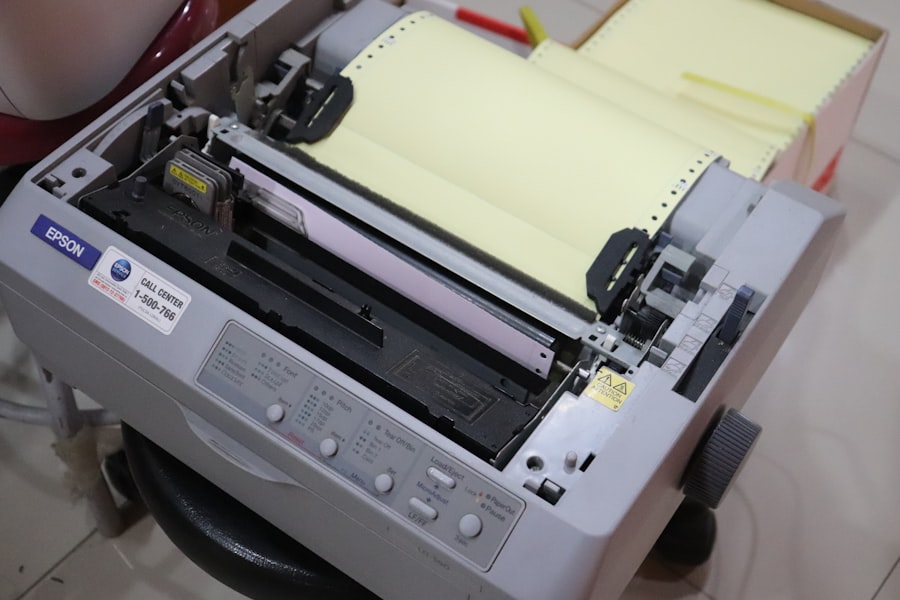
A common impulse when experiencing issues with third-party ink is to try a mix: perhaps one genuine cartridge and some third-party ones, or even topping off a low original cartridge with a third-party refill. While the idea of optimizing cost and performance might seem logical, in practice, this often compounds the problem.
The Principle of Homogeneity
Printers are designed to operate with a consistent ink composition. The print head, ink delivery system, and cleaning cycles are all calibrated to work with a single, uniform ink type. Introducing different ink formulations, even within the same printer, is like trying to mix oil and water; they don’t readily combine and can create stability issues.
Sequential Ink Rejection
Even if your printer initially accepts a mix, subsequent print jobs can highlight incompatibilities. The printer’s sensors might detect variations in ink flow or color consistency that trigger an error. This can lead to inconsistent color reproduction, streaky prints, or errors that only appear intermittently.
Contamination of the System
When you introduce a different ink, there’s a risk of cross-contamination within the printer’s ink delivery system. This means that even when you eventually switch back to original ink, residual traces of the incompatible ink can continue to cause problems. It’s like trying to purify a water system that has been contaminated; a single taint can spread if not thoroughly eradicated.
The False Economy of Refills
Ink cartridge refills, often sold separately from cartridges, fall into a similar category of risk. While the desire to reuse an existing cartridge seems environmentally friendly and cost-effective, the quality and consistency of refill ink can vary wildly.
Refill Ink Quality Control
Unlike original cartridges that undergo stringent quality control, refill inks are often produced with less oversight. This can result in:
- Variable Pigment/Dye Content: The amount of colorant in the ink can be inconsistent, leading to washed-out or overly saturated prints.
- Impurities and Contaminants: Refill inks might contain dust, debris, or other impurities that can clog print heads just as easily as poorly formulated cartridge ink.
- Incorrect Chemical Additives: Additives that influence drying time, viscosity, and UV resistance are crucial. Refill inks may lack these or use incorrect formulations.
Cartridge Chip Resetting Issues
Furthermore, refilling an existing cartridge often requires resetting its chip. This process can be unreliable, and even if successful, the printer might still flag the cartridge as “non-genuine” or “refilled,” leading to similar rejection scenarios.
Many users often find themselves frustrated when their printers suddenly stop working after using third-party ink cartridges. This issue can arise due to various reasons, including compatibility problems and firmware updates that restrict the use of non-original products. To gain a deeper understanding of this phenomenon and explore potential solutions, you can read a related article that delves into the intricacies of printer technology and the implications of using third-party inks. For more insights, check out this informative piece at Hey Did You Know This.
The Manufacturer’s Dilemma and Consumer Choice
| Reason | Description | Impact on Printer | Frequency |
|---|---|---|---|
| Ink Cartridge Chip Incompatibility | Third party cartridges may have chips that are not recognized by the printer. | Printer may display error messages or refuse to print. | High |
| Firmware Updates | Printer firmware updates can block third party ink cartridges. | Printer stops working with non-original cartridges after update. | Medium |
| Ink Quality Issues | Third party ink may have different chemical composition affecting print heads. | Clogging or damage to print heads, leading to malfunction. | Medium |
| Incorrect Cartridge Installation | Third party cartridges may not fit perfectly or be installed incorrectly. | Printer fails to detect cartridge or prints poorly. | Low |
| Printer Software Restrictions | Some printers have software that restricts use of non-original cartridges. | Printer disables printing or shows warnings. | Medium |
Ultimately, the situation with third-party ink presents a complex interplay between manufacturer business models, technological limitations, and consumer desire for affordable printing. While manufacturers position their policies as essential for ensuring quality and protecting their technology, many consumers perceive them as anticompetitive practices.
The Argument for Consumer Choice
Consumers advocate for the right to choose their consumables based on price and availability. They argue that a functioning printer should not be rendered useless by the ink it uses, especially when third-party alternatives appear to be perfectly capable. The “right to repair” movement has also highlighted concerns about printer manufacturers limiting user autonomy over their devices.
Innovation in the Third-Party Market
It’s important to acknowledge that the third-party ink market is not monolithic. Some manufacturers of third-party inks invest heavily in research and development to create compatible inks that aim to meet or exceed original specifications. These companies often employ sophisticated testing and reverse-engineering techniques to bypass printer lockdowns. However, they still face an uphill battle against firmware updates and hardware design.
The Future of Printing and Ink
The landscape of printing is constantly evolving. With the rise of subscription-based printing services, where ink is automatically delivered based on usage, the traditional model of buying individual cartridges is being challenged. These services often include usage-based pricing and may integrate proprietary ink formulations to ensure optimal performance within their specific ecosystems.
A Tug-of-War Continues
For now, the tug-of-war between printer manufacturers and third-party ink providers is likely to continue. Understanding the intricate technical reasons why printers reject incompatible ink is crucial for making informed purchasing decisions. You are not simply buying a printer; you are entering into an ecosystem, and the ink you choose is a critical part of that system’s stability and longevity. While the allure of savings is strong, the potential for frustration and costly repairs associated with third-party ink is a reality that cannot be ignored. Your printer, in its silent refusal, is simply communicating that not all inks are created equal, and that for optimal performance and reliability, sometimes sticking to the engineer’s original blueprints is the most prudent path.
FAQs
Why do printers sometimes stop working when using third-party ink cartridges?
Printers may stop working with third-party ink cartridges due to compatibility issues, firmware updates that block non-original cartridges, or sensors that fail to recognize the ink. Manufacturers often design printers to work optimally with their own ink to ensure print quality and reliability.
Can using third-party ink cartridges damage my printer?
While many third-party inks are safe, some low-quality cartridges can cause clogging, leaks, or damage to the printhead. Using reputable third-party brands reduces the risk, but there is always a potential for harm compared to original manufacturer ink.
Do printer warranties cover problems caused by third-party ink?
Most printer manufacturers do not cover damage caused by third-party ink cartridges under their warranty. If a printer issue is traced back to the use of non-original ink, the warranty may be voided.
How can I prevent my printer from rejecting third-party ink cartridges?
To reduce the chance of rejection, use high-quality third-party cartridges that are specifically designed for your printer model. Avoid firmware updates that block third-party ink, or research if there are ways to roll back or bypass such updates.
Is print quality affected when using third-party ink cartridges?
Print quality can vary with third-party ink. Some cartridges produce comparable results to original ink, while others may result in faded colors, streaks, or smudging. It depends on the ink formulation and cartridge design.