You’ve probably encountered it: the frustration of a laptop battery that doesn’t budge. You might have wrestled with it, wiggled it, or even searched for secret release latches, only to discover the stark reality – it’s glued in. This sticky situation isn’t a manufacturing oversight; it’s a deliberate design choice with several interconnected reasons, each contributing to the overall functionality and longevity of your portable powerhouse.
The decision to secure a laptop battery with adhesive is not arbitrary. It’s a multifaceted engineering solution driven by demands for improved performance, enhanced durability, and a more streamlined product. Imagine your laptop as a finely tuned orchestra; each component needs to be in its optimal place for harmony. The battery, a crucial instrument, is strategically positioned and secured, not haphazardly tossed in.
Structural Integrity: Holding the Laptops Together
Your laptop is more than just a collection of parts; it’s a carefully constructed chassis designed to withstand the rigors of daily use. The battery, often a significant and relatively dense component, plays a surprising role in this structural integrity.
The Battery as a Structural Member
Just as the foundational stones of a building contribute to its overall stability, the battery, when adhered to the chassis, acts as a reinforcing element. It helps to rigidify the internal structure, preventing flex and warping, especially in thinner laptop designs that are becoming increasingly prevalent. Without this adhesive bond, the chassis might be more susceptible to stress fractures and deformation, particularly from accidental drops or impacts. Think of it like the rebar in concrete; it’s not just filling a space; it’s integral to the strength of the whole.
Mitigating Flex and Vibration
The constant vibrations from the hard drive (if you have one), the fan, and even the subtle movements as you carry your laptop can take a toll. Adhesive helps to dampen these vibrations, preventing them from transferring stress to other delicate components like the motherboard or display connectors. A loose battery can rattle, potentially causing micro-fractures or loosening other connections over time, leading to intermittent issues or premature failure. The glue acts as a discreet shock absorber, ensuring a smoother ride for your internal circuitry.
Thermal Management: Keeping Your Cool Under Pressure
Heat is the silent enemy of electronics. Overheating can lead to reduced performance, accelerated degradation of components, and even permanent damage. The battery itself generates heat during charging and discharging, and its placement and connection are critical for effective thermal management.
Facilitating Heat Transfer
When a battery is glued in, it creates a more direct thermal pathway between the battery and the laptop’s chassis. This allows heat generated by the battery to be more efficiently dissipated into the surrounding metal or plastic, which often acts as a heatsink. Imagine a radiator; it needs good contact with the water it’s cooling. Similarly, the adhesive ensures good thermal contact between the battery and the laptop’s cooling system, preventing heat from being trapped and building up. This is especially important for high-capacity batteries that can generate substantial heat.
Secure Connectivity for Optimal Performance
A loose battery can lead to intermittent power delivery, which can throttle the processor and other components. The adhesive ensures a firm and consistent connection between the battery and the laptop’s power management circuitry. This stable connection is vital for the laptop to draw power reliably, especially during demanding tasks. A shaky connection is like a hesitant singer; it disrupts the flow and performance. The glue ensures a strong and steady stage presence for your battery.
Miniaturization and Space Optimization: The Quest for Slimness
In the relentless pursuit of thinner and lighter laptops, manufacturers are constantly optimizing every millimeter of internal space. The traditional swappable battery, with its bulky connectors and housing, has largely fallen by the wayside in favor of integrated solutions.
Eliminating External Connectors and Bulk
External battery connectors, while familiar, require space for their pins, housing, and the associated wiring. By directly adhering the battery, manufacturers can eliminate these bulky connectors altogether. This saved space can then be reallocated to other components, allowing for sleeker profiles or the inclusion of additional features. It’s like packing for a trip; every bit of space saved means you can bring something else or just have a lighter suitcase.
Streamlining Internal Layout
The adhesive allows for a more precise and efficient internal layout. The battery can be integrated into the design as if it were a molded part of the chassis, rather than a separate module that needs to be accommodated. This leads to a more compact and organized internal structure, which in turn can contribute to better thermal management and structural integrity. It’s akin to fitting puzzle pieces together perfectly; the glue ensures there are no awkward gaps or misalignments.
Many consumers often wonder why laptop batteries are glued in, a design choice that has sparked considerable debate regarding repairability and sustainability. For a deeper understanding of this issue, you can explore the article on this topic at Hey Did You Know This, which discusses the implications of glued batteries on device longevity and the challenges they pose for users seeking to replace or recycle their laptops.
The Trade-offs: When Glue Becomes a Barrier
While the benefits of glued-in batteries are clear from a design and manufacturing perspective, it’s impossible to ignore the significant drawback for the end-user: repairability and upgradability.
The Repairer’s Bane: Difficulty in Replacement
The primary frustration for many users is the sheer difficulty of replacing a glued-in battery. Unlike older laptops where a battery could be popped out with the flick of a switch, a glued battery requires specialized tools and techniques, making it a task often best left to professionals.
The Need for Specialized Tools
Removing a glued battery typically involves using a thin prying tool, such as a plastic spudger or even a thin metal blade, to carefully dislodge the adhesive. This process is delicate and carries the risk of damaging the battery itself, the surrounding components, or the laptop’s chassis if not done with extreme care and precision. Imagine carefully dissecting a delicate cake without smudging the frosting; it requires a steady hand and the right tools.
Increased Repair Costs and Time
The added complexity of removing and replacing a glued battery translates directly into higher repair costs. Technicians spend more time meticulously working to avoid damage, and the risk of accidental damage also contributes to the overall expense. Furthermore, finding a suitable replacement battery that is identical to the original glued-in unit can sometimes be challenging. This means your laptop might spend more time in the repair shop, away from your productive hands.
The Environmental Footprint: A Less Sustainable Choice?
The glued-in battery design raises concerns about the environmental impact of electronic waste. The difficulty in replacing components can lead to laptops being discarded prematurely, even if only the battery needs attention.
The Throwaway Culture Dilemma
When a battery degrades to the point of significantly impacting usability, and replacement is prohibitively difficult and expensive, the temptation to simply purchase a new laptop becomes greater. This contributes to the growing problem of electronic waste, as perfectly functional laptops are discarded simply because of a worn-out battery. It’s a cycle where a small component’s inaccessibility can lead to the premature demise of a larger, more complex device.
Challenges in Recycling and Refurbishment
The process of recycling electronics is complex, and components that are difficult to separate are often a bottleneck. Glued-in batteries can make it harder for recycling facilities to safely and efficiently extract the battery components for proper disposal or potential refurbishment. This can lead to the battery being treated as part of the general electronic waste, which may not be the most environmentally responsible outcome.
The Evolution of Battery Design: A Look Back and Forward
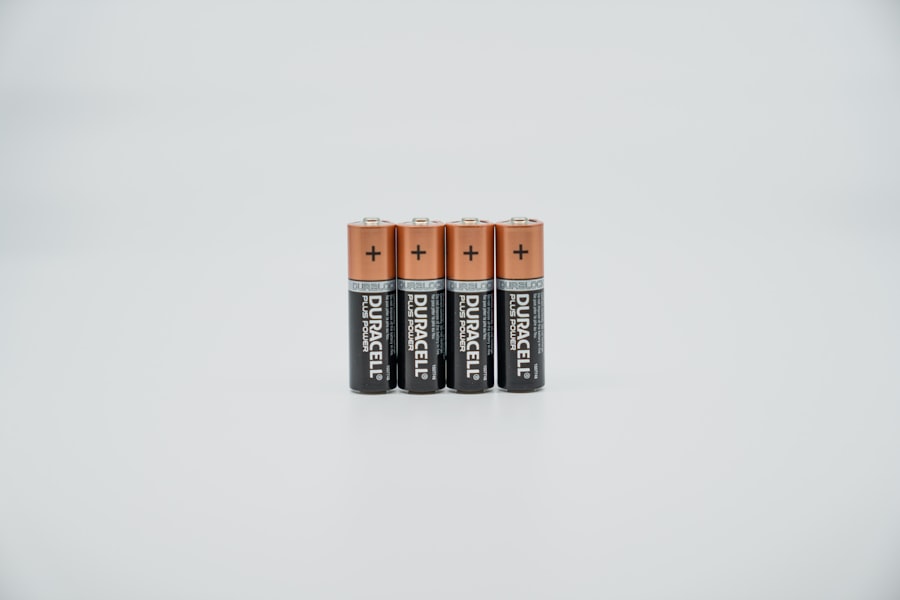
The glued-in battery isn’t a static design. It’s a point on a continuum, reflecting the industry’s ongoing efforts to balance various design and user priorities.
The Era of the User-Replaceable Battery
For many years, laptops were designed with user-replaceable batteries as a standard feature. These batteries typically clicked into a dedicated compartment, allowing for quick and easy swaps.
Convenience and Extended Lifespan
The primary advantage of this design was the convenience it offered. Users could carry spare batteries for extended use on the go, and when a battery began to degrade, it could be easily replaced without any technical expertise. This fostered a culture of repairability and extended the functional lifespan of laptops. You could simply swap in a fresh one and keep going, much like changing a worn-out tire on a car.
The Downside: Bulk and Design Limitations
However, user-replaceable batteries often contributed to bulkier laptop designs. The space required for the battery compartment and its latching mechanism meant that laptops couldn’t be as thin or as streamlined as they are today. This was a trade-off for the convenience offered.
The Emergence of the Integrated Battery
As technological advancements allowed for smaller and more powerful batteries, and as the demand for ultra-thin laptops grew, manufacturers began to explore integrated battery solutions.
The Initial Shift Towards Fewer Screws
The transition wasn’t immediate. Early integrated designs might have still used a few screws to secure the battery, but the overall trend was towards fewer user-accessible points. This was often seen in the most compact devices, hinting at the future.
The Rise of Stronger Adhesives
With the increasing emphasis on thinness and weight reduction, stronger and more permanent adhesives became the preferred method for securing batteries. This allowed for maximum space utilization and contributed to the overall rigidity of the chassis.
Understanding the Adhesive: More Than Just Glue
The adhesive used in laptop batteries isn’t your everyday office glue. It’s a specialized material designed for specific performance characteristics.
Types of Adhesives Used
Manufacturers employ various types of adhesives, each chosen for its suitability to the specific laptop model and its manufacturing process.
Epoxy Adhesives: Strength and Durability
Epoxy adhesives are known for their exceptional strength and durability. They form a strong bond that can withstand mechanical stress and temperature fluctuations, making them a good choice for long-term adhesion. Think of them as the industrial-strength rivets of the adhesive world.
Acrylic Adhesives: Flexibility and Temperature Resistance
Acrylic adhesives offer a good balance of bonding strength and flexibility. They can also exhibit excellent resistance to temperature changes, which is crucial for a component that generates heat. This blend of properties makes them ideal for applications where some degree of movement or expansion might occur.
Double-Sided Tapes: Ease of Application
In some cases, high-strength double-sided tapes are used. These are often easier and quicker to apply during the manufacturing process, but they may not offer the same level of long-term bond strength as epoxies or certain acrylics.
The Science Behind the Bond
The effectiveness of the adhesive depends on several factors, including surface preparation, application technique, and curing time.
Surface Preparation: A Clean Canvas
Before adhesive is applied, the surfaces of both the battery and the laptop chassis must be meticulously cleaned to remove any dust, oil, or debris. A clean surface is crucial for achieving a strong and reliable bond. Any contaminants are like an unwanted guest at a party; they interfere with the intended connection.
Application and Curing: The Critical Stages
The adhesive is applied precisely, often by automated machinery. Following application, the components are usually pressed together, and the adhesive is allowed to cure, meaning it hardens and forms its final bond. Proper curing is essential for the adhesive to reach its full strength and performance potential. This stage is like letting dough rise; it needs the right conditions to achieve its final form.
Many users often wonder why laptop batteries are glued in place, which can make replacements challenging. This design choice is primarily driven by manufacturers’ desire to create thinner and lighter devices while ensuring a more compact assembly. For a deeper understanding of this topic, you can read a related article that explores the implications of glued batteries and their impact on device longevity and repairability. Check it out here for more insights.
When You Need to Replace It: Navigating the Sticky Situation
| Reason | Description | Impact on Repairability | Manufacturer’s Perspective |
|---|---|---|---|
| Space Optimization | Gluing batteries allows manufacturers to save internal space by securely fixing the battery in place without bulky brackets. | Reduces ease of battery replacement, often requiring specialized tools or professional service. | Enables slimmer and lighter laptop designs, appealing to consumers. |
| Structural Integrity | Adhesives help maintain the structural rigidity of the laptop by firmly holding components together. | Increases difficulty in disassembly, potentially leading to damage if improperly handled. | Improves overall device durability and user experience. |
| Safety Considerations | Gluing batteries reduces movement inside the chassis, minimizing risks of short circuits or damage from shocks. | Complicates battery removal, which can be hazardous if done incorrectly. | Prioritizes user safety and compliance with safety standards. |
| Cost Reduction | Using adhesive instead of mechanical fasteners can lower manufacturing costs and assembly time. | May increase long-term repair costs due to difficulty in battery replacement. | Balances production efficiency with product pricing. |
| Design Aesthetics | Eliminates visible screws or latches, resulting in a cleaner and more seamless laptop appearance. | Limits user access to internal components, reducing DIY repair options. | Enhances brand image through sleek and modern designs. |
Despite the challenges, there are times when replacing a glued-in battery is unavoidable. Thankfully, it’s not an insurmountable task, though it requires careful consideration.
DIY: The Brave and the Bold
For the technically inclined and those willing to accept the risks, a DIY replacement is possible.
Research is Your Best Friend
Before you even consider picking up a tool, thoroughly research your specific laptop model. Watch tear-down videos online to understand how your particular battery is secured and what tools are required. Knowing the terrain before you embark on your expedition is key.
The Right Tools and a Steady Hand
Gather the necessary tools: a set of precision screwdrivers, plastic prying tools (spudgers), a heat gun (often low temperature), and potentially some isopropyl alcohol to help loosen the adhesive. Patience and a steady hand are paramount. Rushing the process is a surefire way to cause damage.
The Process: A Step-by-Step (General) Guide
- Power Down and Disconnect: Ensure your laptop is completely powered off and unplugged.
- Access the Battery: This usually involves removing the bottom panel of the laptop, which often has multiple screws.
- Locate the Adhesive: Identify where the battery is adhered to the chassis.
- Apply Gentle Heat (If Necessary): In some cases, a low-temperature heat gun can help soften the adhesive. Be cautious not to overheat.
- Pry Carefully: Use plastic prying tools to slowly and patiently work around the edges of the battery, gently separating it from the chassis. Avoid forcing it.
- Disconnect Cables: Once the battery is loosened, carefully disconnect any cables connecting it to the motherboard.
- Install New Battery: Connect the new battery, apply new adhesive strips (often included with replacement batteries), and carefully reassemble the laptop.
Professional Repair: The Safer Route
If you’re not comfortable with the DIY approach, a professional repair is the recommended course of action.
Finding a Reputable Technician
Seek out a reputable computer repair shop that has experience with laptop battery replacements. Ask about their experience with glued-in batteries specifically.
The Informed Consumer
Don’t hesitate to ask for a quote upfront and understand the scope of the repair. Ask about the type of replacement battery they use and their warranty policy. Being an informed consumer empowers you to make the best decision.
The Future of Laptop Batteries: A Balancing Act Continues
The debate around glued-in vs. user-replaceable batteries is likely to continue as manufacturers and consumers navigate the evolving landscape of portable computing.
The Persistent Push for Thinness
The desire for thinner, lighter, and more aesthetically pleasing laptops will continue to drive the integration of components, including batteries. This suggests that glued-in batteries are likely to remain a prevalent design choice for the foreseeable future.
Innovation in Repairability
However, there’s growing awareness and demand for more sustainable and repairable electronics. This could lead to innovations that mitigate some of the drawbacks of glued-in batteries.
Modular Design Concepts
Future designs might incorporate more modular components, allowing for easier access to specific parts like the battery, even if they are still secured by adhesive. This could involve clever internal structures that allow for the battery to be slid or released after a few external screws are removed.
Advancements in Adhesive Technology
It’s also possible that advancements in adhesive technology could lead to materials that offer strong adhesion during the laptop’s lifespan but are designed to be more easily dissolved or released when repair or replacement is needed, perhaps with a specific solvent or controlled heat application. This would be a sort of “smart glue” that knows when its job is done.
In conclusion, while the glued-in battery can be a source of frustration, understanding the engineering reasons behind its implementation – from structural integrity and thermal management to space optimization – sheds light on why it has become a common feature in modern laptops. The sticky situation, though inconvenient for repairs, is a testament to the ongoing efforts in the industry to create increasingly sophisticated and compact portable devices. The future will likely hold a continued balancing act between these design priorities and the growing demand for repairability and sustainability.
FAQs
Why are laptop batteries glued in?
Laptop batteries are often glued in to secure them firmly within the device, preventing movement that could damage internal components. This adhesive also helps maintain a slim design and ensures safety by reducing the risk of battery disconnection or short circuits.
Is it safe to remove a glued-in laptop battery?
Removing a glued-in laptop battery can be risky if not done properly. It requires careful handling to avoid damaging the battery or other internal parts. It is recommended to follow manufacturer guidelines or seek professional assistance to ensure safety.
Can glued-in batteries be replaced easily?
Glued-in batteries are generally more difficult to replace compared to removable ones. The adhesive must be softened or carefully pried apart, which can be time-consuming and may require special tools. This design choice often means battery replacement is best performed by authorized service providers.
Does gluing the battery affect laptop repairability?
Yes, gluing the battery can reduce the overall repairability of a laptop. It makes battery replacement and internal repairs more challenging, potentially increasing repair costs and time. This design approach is often a trade-off between device slimness and ease of maintenance.
Are glued-in batteries common in all laptops?
Glued-in batteries are more common in modern, slim, and lightweight laptops, especially ultrabooks and some MacBooks. However, many traditional laptops still use removable batteries without adhesive. The use of glued-in batteries varies by manufacturer and model.